Alpenstrasse 8
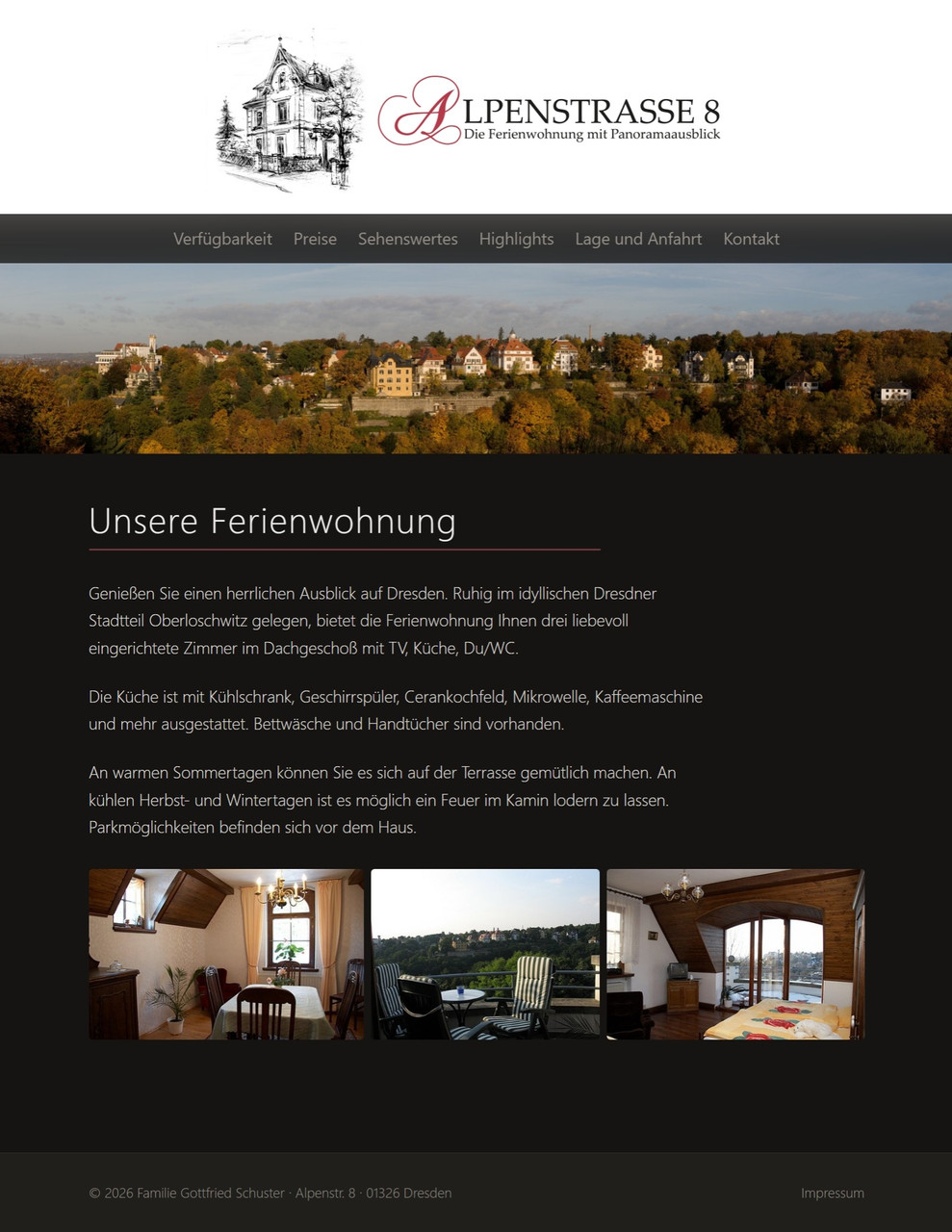
A holiday apartment in Dresden-Oberloschwitz with panoramic views. It's built with a custom Panorama theme, the Calendar plugin for availability, and responsive image handling throughout.
Visit Alpenstrasse 8 → | View source on GitHub →
Features Used
| Feature | How It's Used |
|---|---|
| Custom Theme (Panorama) | Dark, elegant design tailored for the apartment |
| Calendar Plugin | Availability calendar synced from Booking.com ICS feed |
| Cover Image | Responsive panorama hero banner on the homepage |
find_image |
Responsive logo loaded from _images/ via template function |
| Gallery on Homepage | Three photos displayed with flex-flow layout and CSS-only lightbox |
| Content Image Template | Custom Partials/ContentImage.revela for Markdown images |
| Multiple Page Types | Prices, sights, directions, contact, each with its own layout |
Site Structure
source/
├── _index.revela               # Homepage (template = "home", cover + gallery)
├── IMG_4153.jpg                # Gallery images next to _index.revela
├── IMG_4174.jpg
├── IMG_0005.jpg
├── _images/
│   ├── logo.jpg                # Responsive logo (via find_image)
│   ├── fotos/                  # Shared photos for content pages
│   └── panorama/
│       └── panorama.jpg        # Cover image
├── 01 Verfuegbarkeit/
│   └── _index.revela           # Calendar page (template = "calendar/page")
├── 02 Preise/
├── 03 Sehenswertes/
├── 05 Lage/
├── 06 Kontakt/
└── 07 Impressum/               # Hidden from navigation
Custom Theme: Panorama
The Panorama theme is a local theme in the project's themes/ folder, so there are no NPM packages or build tools needed:
themes/Panorama/
├── Layout.revela               # Main layout with responsive logo + cover
├── Body/
│   ├── home.revela             # Homepage with gallery + lightbox
│   ├── page.revela             # Text pages
│   └── calendar/
│       └── page.revela         # Calendar page with {{ gallery.body }}
├── Partials/
│   ├── ContentImage.revela     # Required: Markdown image rendering
│   └── HeaderNavigation.revela
└── Assets/
    └── main.css                # Gallery flex-flow + CSS-only lightbox
Cover Image
The homepage uses cover = "panorama/panorama.jpg" in the frontmatter. The Layout template renders it as a responsive hero banner:
{{~ if gallery.cover_image ~}}
<section class="hero-panorama">
  <picture>
    {{~ for format in image_formats ~}}
    <source type="image/{{ format == 'jpg' ? 'jpeg' : format }}" srcset="...">
    {{~ end ~}}
    <img src="..." alt="{{ gallery.title }}" loading="eager">
  </picture>
</section>
{{~ end ~}}
Responsive Logo
The logo is stored in _images/logo.jpg and resolved via find_image:
{{~ logo = find_image "logo.jpg" ~}}
{{~ if logo ~}}
<picture>
  ...responsive srcset...
</picture>
{{~ end ~}}
This gives the logo AVIF/WebP/JPG variants and responsive sizing, with no hardcoded paths.
Gallery with Lightbox
The homepage has three photos as gallery images (placed next to _index.revela). The home.revela template renders them with flex-flow proportional sizing and a CSS-only lightbox:
.gallery > article {
  flex-grow: calc(var(--width) * (500000000 / var(--height)));
  flex-basis: calc(10rem * (var(--width) / var(--height)));
}
Calendar Integration
The availability page uses the Calendar plugin to show a 12-month booking calendar synced from Booking.com:
+++
title = "Verfügbarkeit"
template = "calendar/page"
data = { calendar: "calendar.json" }

calendar.source = "bookings.ics"
calendar.mode = "nights"
calendar.months = 12
calendar.locale = "de"
+++

Der Kalender zeigt die aktuelle Belegung unserer Ferienwohnung.
The body text comes from {{ gallery.body }}, kept separate from the calendar rendering.
What Makes It Interesting
- Not a photo site: shows Revela works beyond photography portfolios
- Custom theme without build tools: plain CSS and Scriban templates
- Real booking integration: calendar synced from a live ICS feed
- Every new Revela feature tested here first: cover images,
find_image, and content image templates all grew out of this project's needs