
How it works
Revela is a small program that runs on your computer: one download, with no installer, account, subscription or database. It opens a simple text menu: you choose with the arrow keys and Enter, with no commands to remember or code to write.
1. Put your photos in folders
Make a folder for your site, unzip Revela into it, and copy your photos into a source folder inside. Each subfolder becomes a gallery.
My Portfolio/
├── revela.exe          ← "revela" on macOS and Linux
└── source/
    ├── 01 Landscapes/
    └── 02 Portraits/
2. Start Revela
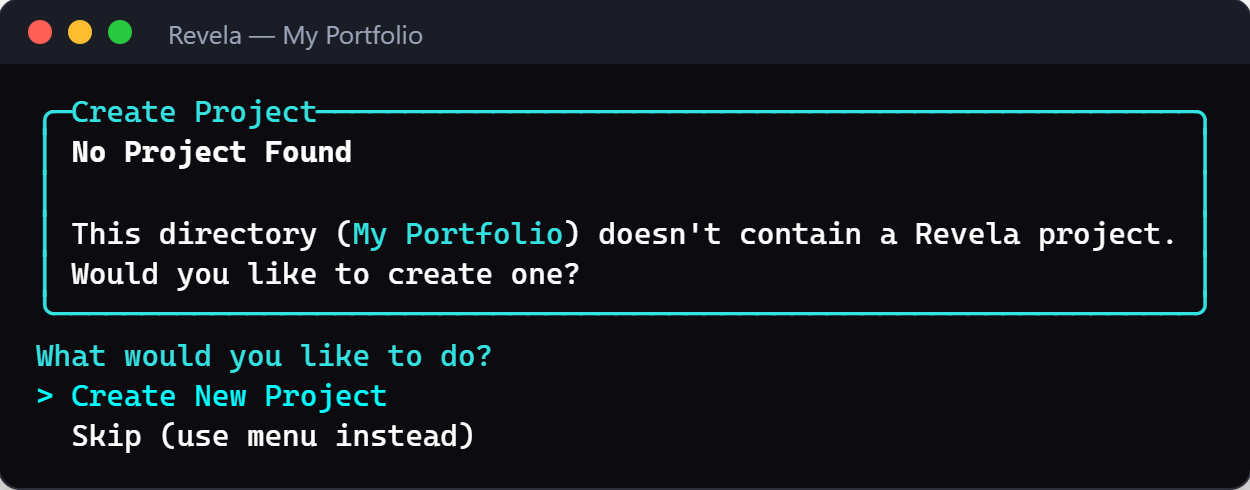
Double-click it (on macOS and Linux, use the included launcher). The first time, it offers to set up your project and asks a few questions, such as your site's title. Enter keeps the suggested answer, and you can change everything later.
3. Build your website
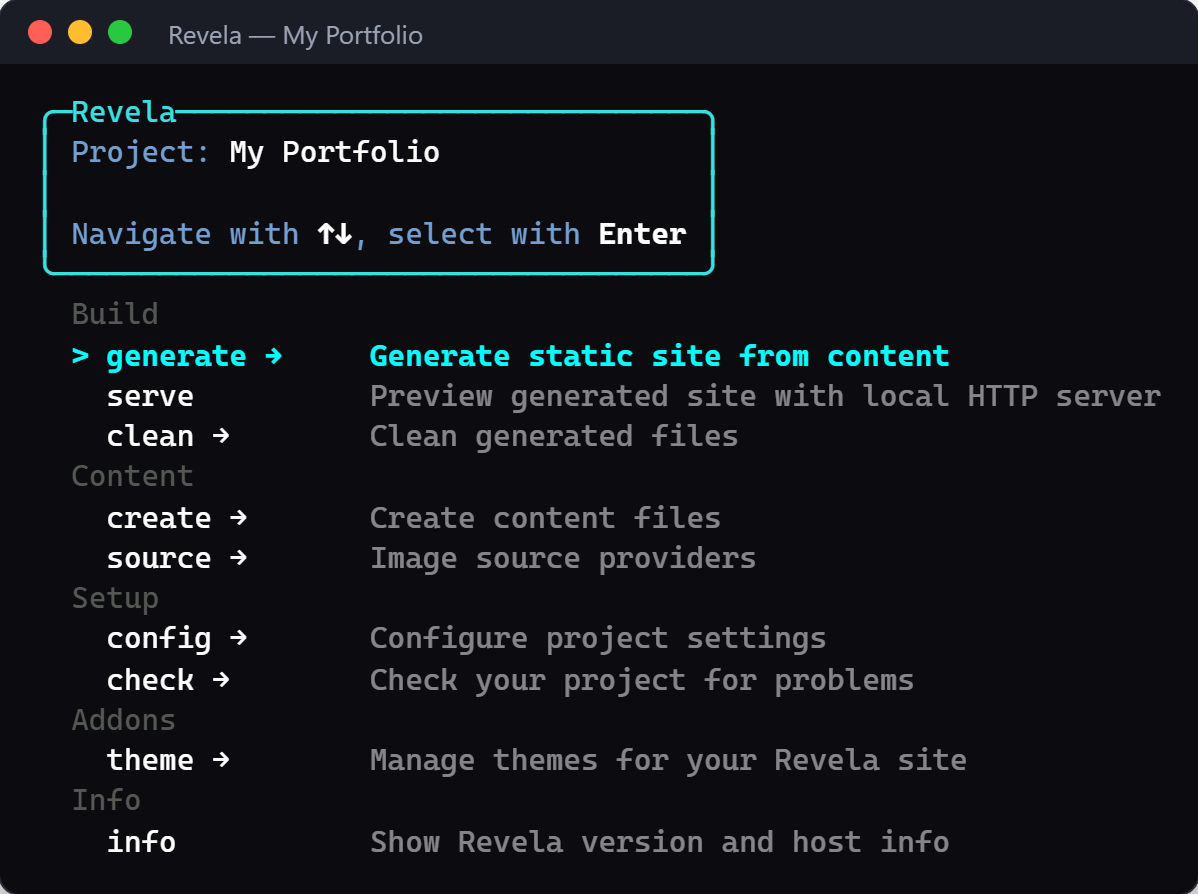
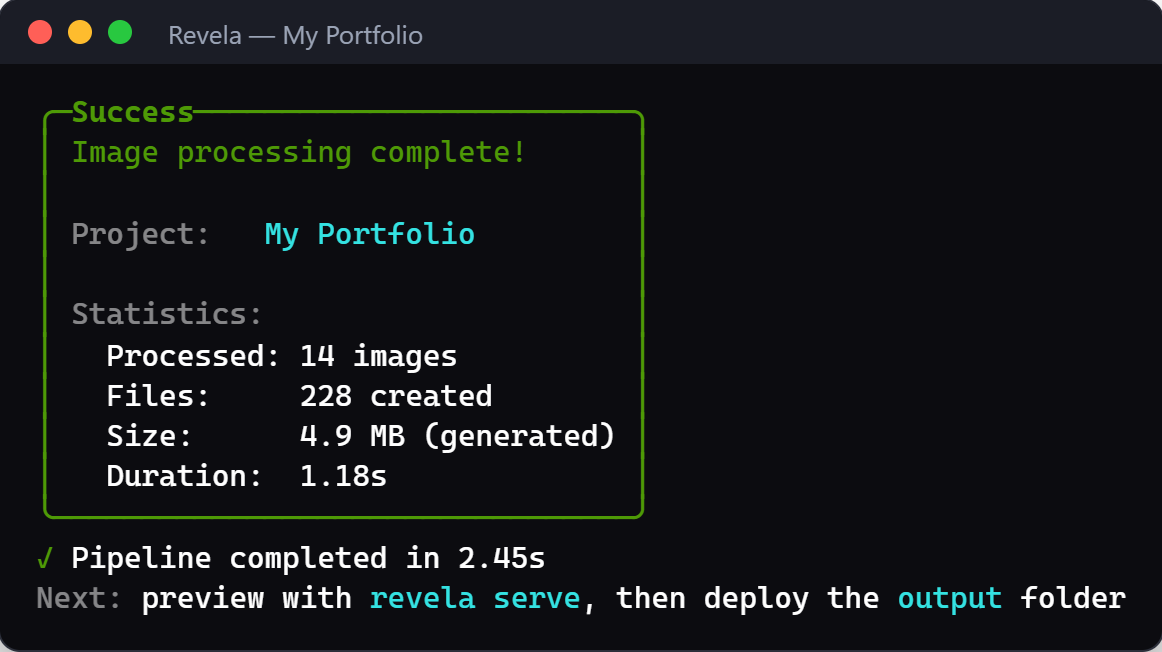
Choose generate → all in the menu. Revela makes several sizes and formats of every photo and writes your finished website into the output folder. The first build of a large collection takes a while; later builds only redo what changed.
4. Look at it, then publish it
Choose serve and open http://localhost:8080 to see your website in your browser. When you're happy, upload the output folder to a web host.
Made on your computer, published where you like. Revela isn't an online service: it builds the website on your computer, and you decide where it goes online. The Deployment guide shows free options such as GitHub Pages, Netlify and Cloudflare Pages.
Your originals stay untouched. Revela only reads your photos and writes separate web versions into
output. Use JPEG exports from Capture One or Lightroom, ideally in Display P3 or Adobe RGB for rich colors; RAW files aren't read. See exporting from your photo editor.
Prefer a terminal? Every menu entry is also a command, for example revela generate all. Your First Site walks through the same steps in detail.
Made for photographers
Other website builders are made for blogs and online shops. Revela focuses on one thing: showing your photos beautifully. The built-in theme puts your photos first, with dark mode and labels in English or German, and you can add your own language. Set your site's title, language and how photos open in the menu; colors and fonts are a few lines in one CSS file, and templates let you go further.
Fast by design
Speed is built in. Every photo comes in several sizes and in AVIF, WebP and JPEG, and each browser loads only the size that fits its screen. Photos further down the page load as visitors scroll, and the space for each photo is reserved before it arrives, so the page doesn't jump while it loads. The pages themselves are plain HTML and CSS; JavaScript only adds extras such as the lightbox and zoom, and everything works without it.
Fast, stable pages make browsing more pleasant. Search engines count page experience as one of many signals, but no site generator can promise a ranking.
Measured: a Revela build of photo.kirk.one, a portfolio with about 1,200 photos, in Google Lighthouse (October 2026): 100 for Performance, Accessibility and Best Practices; First Contentful Paint 0.3 s, Largest Contentful Paint 0.4 s, Cumulative Layout Shift 0. Results depend on the device, the network and your web host.
For developers
Under the hood: libvips image processing via NetVips, AVIF/WebP/JPEG output with responsive <picture> elements and average-color placeholders, Scriban templates, Markdown pages, Gzip/Brotli pre-compression and a NuGet-based plugin system. Extend it, script it in CI, or contribute: see the developer orientation.